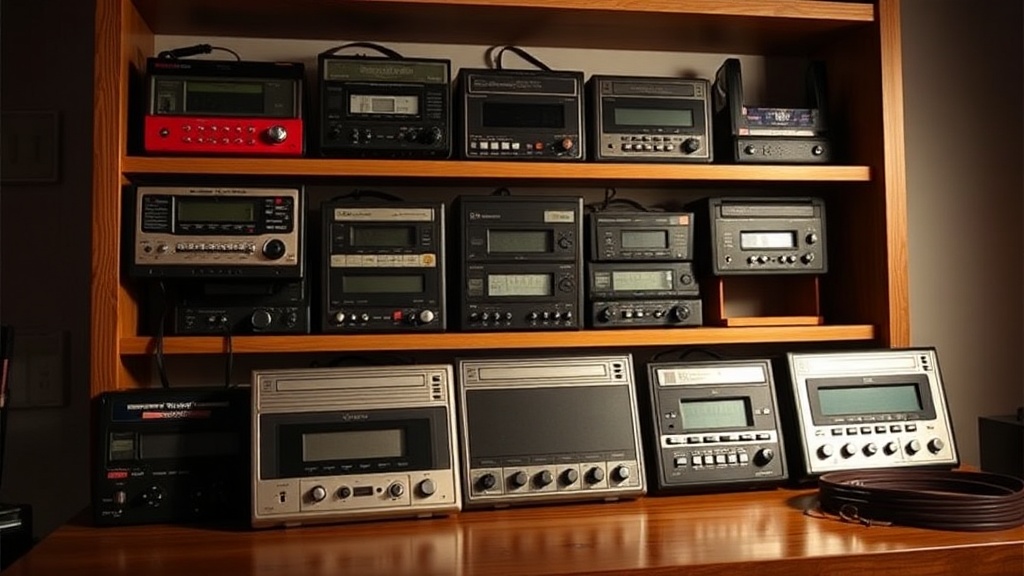
How to Display Your Walkman Collection Without Damaging the Belts

Displaying a Walkman collection is about more than aesthetics — it’s about preserving decades of engineering. The rubber drive belts inside these portable cassette players are surprisingly fragile, and the wrong display choice can stretch, dry-rot, or permanently deform them. This post covers practical display strategies that keep belts intact, protect mechanisms, and still let every unit shine on a shelf.
Do Walkman belts degrade if you display units vertically?
Yes, vertical display can stress Walkman belts over time — especially when cassette doors are closed and the capstan pinch rollers rest against the rubber. Gravity pulls the pinch roller downward, pressing it into the belt path. That constant contact creates flat spots. (Flat spots don’t always cause immediate failure, but they can produce wow and flutter when the unit finally plays.)
The risk varies by model. A Sony WM-D6C — a professional deck with a complex belt train — faces more danger than a simple WM-FX290 with a single flat belt. That said, most collectors prefer vertical storage because it saves space and looks dramatic. The trick is preparation.
If vertical display is non-negotiable, open the cassette door first. This lifts the pinch roller away from the capstan and reduces pressure on the belt. For models with a motorized door (like the Sony WM-EX1), prop the door gently with a foam block — never force it. Another option: remove the batteries so the mechanism can't accidentally engage, and rotate the unit every few months so gravity works on different contact points.
Wall-mounted displays are especially popular for rare units like the Sony DD-33 or the yellow WM-F5 Sports. Here's the thing — hanging a Walkman by its belt clip might look cool, but the clip was never designed to support the full weight indefinitely. Plastic clips fatigue, and a midnight crash onto hardwood flooring usually means a cracked case and a slipped belt. If a wall display is desired, use a shallow shadow box with a hidden acrylic cradle that supports the chassis, not the clip.
What's the safest way to store a Walkman long-term?
The safest long-term storage method is horizontal placement in a climate-controlled environment with the cassette door open and no tape loaded inside. This position distributes weight evenly across the chassis and keeps belts relaxed.
Here's the thing — even horizontal storage has nuances. Stacking Walkmans directly on top of each other is a bad idea. The weight from above can warp plastic shells or crack battery compartment latches. Instead, use shallow drawer inserts or archival photo boxes from brands like Gaylord Archival or University Products. These acid-free containers prevent off-gassing, which can accelerate rubber deterioration.
For collectors who want visibility plus protection, acrylic display cases with built-in stands work well. Look for cases that support the Walkman at the edges — not the belt area. The Nintendo Game Boy display stand (ironically) fits many full-size Walkmans, but custom 3D-printed stands from sellers on Etsy are often sized specifically for Sony WM-10 or WM-EX series units. Worth noting: foam cutouts look professional, but closed-cell polyethylene foam is preferable to open-cell polyurethane, which traps moisture.
Tape cassettes should never be left inside stored units. A tape puts tension on the capstan and take-up spindles, which indirectly loads the belt. Plus, old cassette pads can shed sticky residue onto the head assembly. Remove tapes before shelving, and store them separately in Norelco cases away from direct heat.
How do temperature and humidity affect rubber Walkman belts?
Rubber belts harden in dry conditions and grow mold in humid ones — the sweet spot is roughly 40–50% relative humidity at 65–72°F (18–22°C). Anything outside that range accelerates chemical breakdown.
Attics and basements are enemy territory. Summer attic heat can push past 95°F, turning supple rubber into cracked bands within a single season. Basements, meanwhile, invite mildew onto foam pads and corrode battery contacts. The catch? Most collectors don't have a dedicated climate-controlled room. A Boveda humidity pack inside a sealed display case can stabilize microclimates for smaller collections. For larger setups, a dehumidifier like the hOmeLabs HME020031N keeps whole rooms in range without much noise.
Direct sunlight is another silent killer. UV rays degrade both rubber and the translucent plastics used in 1980s Sony housings. Even indirect daylight through a window can yellow clear "smoke" models like the WM-501 over time. If the display area receives any natural light, apply UV-blocking film to the glass or choose LED strip lighting with a color temperature around 3000K — warm white shows off brushed aluminum without the heat output of halogen.
Seasonal shifts matter too. In Fredericton, winter indoor humidity often drops below 20% thanks to forced-air heating. That dry air sucks resilience out of rubber belts faster than many collectors realize. A small humidifier — even a desktop unit like the Levoit LV-H128 — can raise humidity in a single display cabinet enough to make a real difference. Check levels with a digital hygrometer; the Govee H5075 is accurate, cheap, and sends alerts to a phone when conditions drift.
Should you remove the belts before displaying Walkmans?
Removing belts is the only way to guarantee zero belt damage during display, though it renders the Walkman unplayable until a technician reinstalls them. For museum-quality static displays, this is standard practice. For working collections, it's usually overkill.
Here's the thing — belt removal isn't simple on every model. The Sony WM-2 requires delicate disassembly of the tape transport sub-chassis. The WM-D6C needs timing realignment after reassembly. Unless the collector already services these units, belt removal should be left to professionals like Sorry State Audio or local electronics repair shops familiar with vintage Sony mechanisms.
An intermediate approach exists: installing a "display belt." Some technicians offer soft silicone belts cut to original specs but made from modern, stable compounds. These tolerate tension and temperature swings better than 40-year-old OEM rubber. They're not cheap — expect $15–$30 per unit installed — but they buy peace of mind for collectors who rotate displayed units into occasional use.
The catch? Even a display belt will eventually degrade. Silicone lasts longer, but it isn't immortal. Collectors who go this route should still inspect belts annually by gently opening the cassette compartment and checking for glazing, cracking, or slack. A belt that slips when the PLAY button is pressed has already passed its useful life.
What display cases and shelving work best for Walkman collections?
Closed acrylic cases with passive ventilation slots outperform open shelves for belt preservation, while still allowing full visibility. The key is avoiding dust, limiting humidity swings, and preventing accidental knocks.
Several commercial options dominate the collector community. Here's how they compare:
| Display Method | Belt Protection | Visibility | Best For |
|---|---|---|---|
| Closed acrylic case (e.g., SAFTGARD, DisplayGifts) | Excellent | High | Single showcase units, rare models |
| Glass-front cabinet (IKEA DETOLF, BILLY/OXBERG) | Good | High | Collections of 20–50 units |
| Archival drawer with dividers | Excellent | Low | Long-term storage, backups |
| Open acrylic riser stand | Poor | Very High | Short-term photography or events |
| Wall-mounted shadow box with UV glass | Good | Very High | Statement pieces (WM-D6C, DD series) |
The IKEA DETOLF remains popular because it's affordable, tall, and has a small footprint. That said, it needs modification — adding weatherstripping around the door gap and a small rechargeable dehumidifier inside (like the Eva-dry E-333) turns it into a respectable display vault. For higher-end collections, custom cabinetry from makers like Millennium Custom Cabinets in Fredericton can integrate LED lighting, humidity monitoring, and glass shelves sized precisely for portable audio dimensions.
Spacing matters. Cramming units together risks scuffing paint and can trap heat from built-in lighting. Aim for at least one inch between units. If the collection includes walkmans with protruding headphone jacks or battery doors (hello, WM-F77), allow extra room so nothing presses against a neighbor.
Lighting and positioning tips
Keep bulbs away from the mechanism. Heat rises, so top-down lighting can cook upper-shelf units. Backlighting or side-mounted LED strips solve this. Motion-activated lights are fine, but timers that leave lights on for eight hours straight generate unnecessary warmth.
Rotating the collection every three months isn't just good for belts — it lets the collector rediscover forgotten models. A simple spreadsheet or an app like Collectr tracks which units were displayed, when, and whether belts were inspected. Even a basic Google Sheet with columns for model, display date, and belt condition beats memory alone.
At the end of the day, Walkmans were built to play music. Displaying them respects their history. Doing it right — with attention to belt tension, climate, and spacing — means they'll still spin tapes cleanly decades from now. That's the goal.