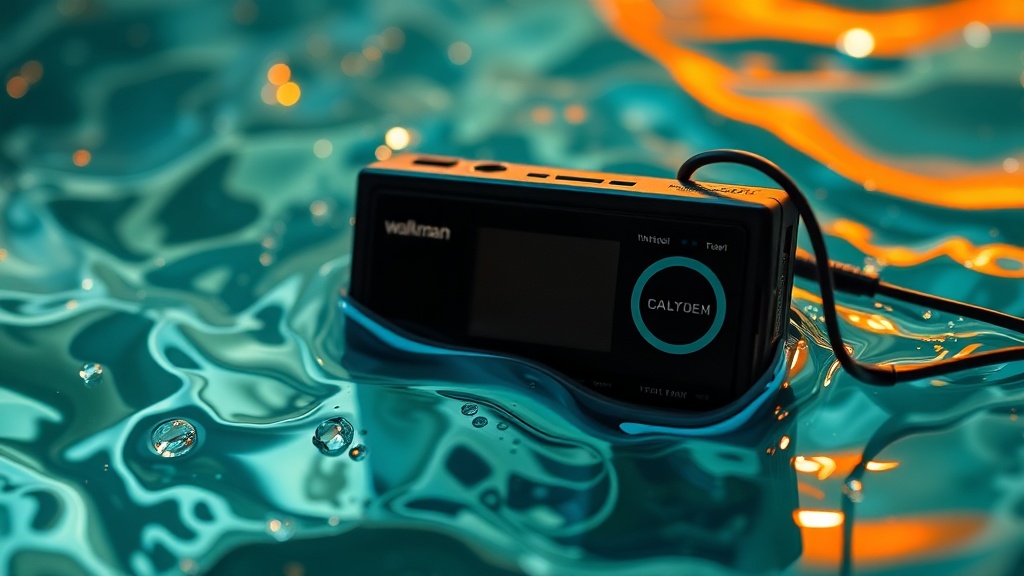
Bringing Back a Drowned Walkman: A Step-by-Step Recovery Guide

When your vintage Walkman experiences an unexpected splash, submersion, or moisture exposure, immediate and correct action can mean the difference between a total loss and a successful restoration. This comprehensive guide outlines the precise process for attempting to revive a water-damaged Walkman, covering initial emergency steps, meticulous disassembly, thorough cleaning, and careful reassembly to maximize your chances of bringing it back to life.
What Immediate Actions Can Save Your Water-Damaged Walkman?
The moment water contacts your Walkman, time is absolutely critical. Do not — under any circumstances — attempt to power it on, check if it works, or plug it into a charger. Doing so can cause immediate short circuits, leading to irreversible damage to delicate internal components. Your first priority is to stop the electrical current and remove as much moisture as possible, as quickly as possible.
- Power Down Instantly: If the Walkman was on, switch it off immediately. Remove any batteries. If it's a model with an internal, non-removable battery, you'll need to prioritize disassembly to disconnect it.
- External Moisture Removal: Use a clean, dry, lint-free cloth (microfiber is ideal) to gently blot away any visible water from the exterior. Avoid shaking or tilting the device excessively, as this can cause water to spread further inside.
- Open Accessible Compartments: Open the cassette door, battery compartment, and any other accessible covers. This improves airflow and allows for more surface-level drying.
- Resist the Rice Myth: While popular, submerging electronics in rice is largely ineffective and can even introduce dust and starch into delicate mechanisms. Air drying, coupled with desiccant packs, is a far superior approach.
- Source Desiccants: If you have silica gel packets (often found in new shoes or electronics packaging), place your Walkman in an airtight container with several of these. The desiccants will absorb moisture more effectively than rice.
Remember, speed and gentle handling are your allies in these initial moments. Every second counts when combating the corrosive effects of water on electronics.
How Do You Safely Disassemble and Dry Out the Components?
Once the initial crisis is averted, the real work begins: a meticulous teardown to inspect and dry every internal component. This stage requires patience, the right tools, and a methodical approach. Before you begin, gather a small set of precision screwdrivers, plastic spudgers (non-marring pry tools), tweezers, a magnifying glass, and a clean, well-lit workspace with good ventilation. It's also a smart idea to have a system for organizing screws and small parts — magnetic mats or compartmentalized containers work wonders.
Step-by-Step Disassembly:
- Document Everything: As you disassemble, take photos or even a video at every stage. This visual record will be invaluable during reassembly, especially for remembering cable routings and screw placements.
- Open the Casing: Carefully remove all external screws holding the casing together. Use a plastic spudger to gently pry apart the seams if necessary. Be mindful of any ribbon cables or wires connecting the two halves of the case; they can be very fragile.
- Disconnect Battery (if internal): If your Walkman has an internal, non-removable battery, locate its connector on the main circuit board and carefully disconnect it using tweezers or a spudger. This completely removes power, preventing further damage.
- Remove Circuit Boards: Unscrew and gently lift out the main circuit board(s). Pay close attention to any connectors, particularly for the playback head, motor, and control buttons. Note their orientation.
- Isolate Components: Separate as many individual components as possible. This includes the cassette mechanism, motors, headphone jack assembly, control buttons, and any sub-boards. The more you can expose to air, the better.
After disassembly, the drying process continues. Spread all components out on a clean, lint-free surface. If possible, use a small fan on a low setting to circulate air gently over the parts. Avoid direct heat sources like hair dryers or ovens, as excessive heat can warp plastic components or damage sensitive electronics. Continue this drying process for at least 48-72 hours, or even longer if significant water ingress occurred. You want everything to be absolutely bone dry.
What Are the Key Steps for Cleaning and Reassembly?
Once everything is thoroughly dry, the next critical phase is cleaning. Water—especially tap water—leaves behind mineral deposits and can cause corrosion, which is just as damaging as the initial water exposure. If the liquid was sugary, salty, or corrosive (like soda or seawater), cleaning becomes even more imperative.
Thorough Cleaning Protocol:
- Prepare Your Cleaning Solution: For general water damage, 90%+ isopropyl alcohol (IPA) is your best friend. It evaporates quickly and leaves no residue. For more stubborn or corrosive residues, consider specialized electronic contact cleaner, but always test it on an inconspicuous plastic part first.
- Brush Away Debris: Using a soft-bristled brush (a clean, soft toothbrush works well), gently brush away any visible corrosion, dust, or dried residue from the circuit boards and connectors.
- IPA Bath for Boards: Submerge circuit boards (without attached speakers, screens, or other non-waterproof components) in a shallow bath of IPA, then gently scrub with your soft brush. Pay close attention to connectors, solder joints, and under integrated circuits. Alternatively, you can use cotton swabs or lint-free wipes soaked in IPA to meticulously clean surfaces.
- Clean Connectors: Use IPA and a cotton swab or a very fine brush to clean all metal contacts, including battery terminals, headphone jacks, and internal ribbon cable connectors. Corrosion on these can prevent proper electrical contact.
- Inspect and Re-dry: After cleaning, visually inspect all components under a magnifying glass. Look for any remaining corrosion or residue. Allow everything to air dry completely again for several hours after cleaning.
Careful Reassembly:
Now, reverse the disassembly process using your detailed photos and notes. This is where patience truly pays off.
- Reinstall Components: Carefully place each component back into its original position, securing it with its corresponding screws.
- Reconnect Cables: Reconnect all ribbon cables and wires. Ensure they are seated firmly and in the correct orientation. Gentle pressure is key; never force a connector.
- Close the Casing: Align the two halves of the Walkman's casing, ensuring no wires are pinched. Gently press them together until they click or sit flush. Reinsert and tighten all external screws.
- Initial Test (Crucial): Once fully reassembled, insert fresh batteries. Instead of immediately hitting play, connect a pair of headphones. Listen carefully for any unusual sounds (humming, scratching) before inserting a tape. If all sounds clear, then try playing a tape. Be prepared to quickly power off if you detect smoke, strange odors, or excessive heat.
If your Walkman doesn't spring back to life, don't despair. Water damage can be insidious, sometimes causing unseen damage that even the most careful cleaning can't fix. But by following these steps, you've given your cherished vintage portable a fighting chance. For further guidance on electronic repair, an excellent resource can be found at